Zero Width Space
Unicode: U+200B. Often used as a zero-width character in text processing.
Use Fontixa's free invisible text generator to create blank text, invisible characters and copy-paste usernames. Choose a character, generate your invisible text and copy it instantly for supported games, social profiles and messaging apps.
No login or installation is required. You can also try our Username Generator or Instagram Bio Generator to customize your online profile.
This tool generates invisible Unicode characters. Normal letters and spaces are not converted into invisible text.
Invisible Text Generated
1 invisible character
An invisible name generator creates text made from Unicode characters that take up little or no visible space. People use an invisible name or blank username where an app accepts characters but does not display them normally. Compatibility varies, and some services remove or reject these characters.
Invisible text is made from special Unicode characters that may appear blank or take up very little visible space. Unlike an ordinary space, some invisible Unicode characters are preserved when copied and pasted into text fields.
An invisible text generator helps you create these characters without memorizing their Unicode values. Fontixa lets you choose different invisible text presets and copy the result with one click.
Unicode includes several characters that do not display like ordinary letters or numbers. Their behavior depends on the character, font, browser and application.
Unicode: U+200B. Often used as a zero-width character in text processing.
Unicode: U+2060. A formatting character that prevents line breaks at its position.
Unicode: U+200D. Used in certain Unicode sequences, including emoji combinations.
If the character does not work, try another preset. Some websites and games remove invisible characters or do not allow blank names.
A normal space is a visible-width character used to separate words. Invisible Unicode characters may have no visible appearance or may affect text formatting differently.
Some apps automatically remove ordinary spaces at the beginning or end of a username. Certain invisible characters may behave differently, but no character is guaranteed to work in every app.
Invisible characters can be tested in supported username fields, profile descriptions, chat messages and other text inputs. Compatibility depends on each platform's rules.
Always check the platform's current rules before using invisible characters in a username or profile.
Looking for more ways to customize your online identity? Try these Fontixa tools:
1. Enter text or select an option above. 2. Generate the invisible text. 3. Tap Copy Invisible Text. 4. Paste it into the supported app or game.
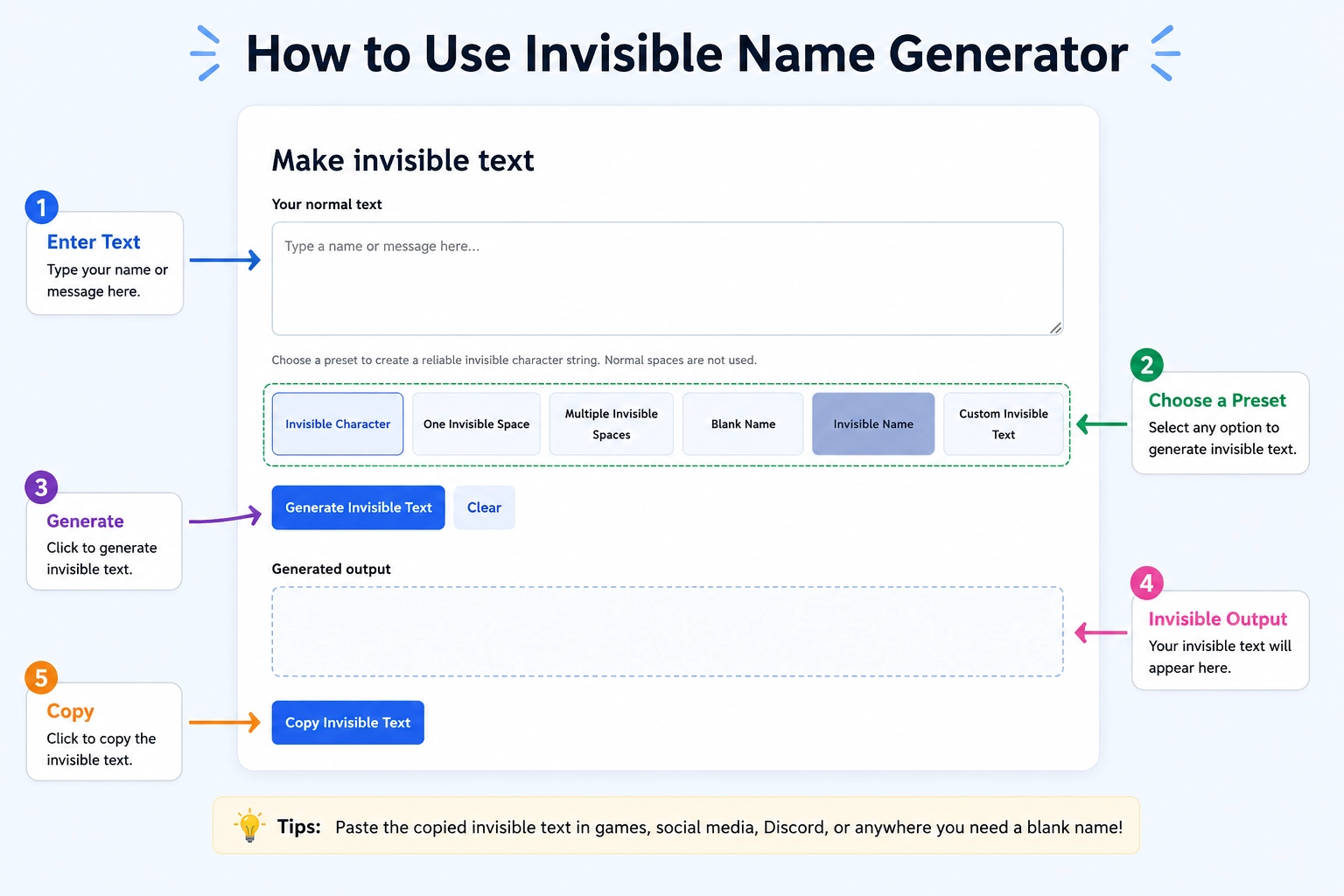
The tool copies the actual Unicode characters, not ordinary spaces, so they are less likely to be trimmed during paste. Use the copy button and paste directly into the name field. Browser and app support can differ.
Try an invisible name for Free Fire, PUBG/BGMI, or another game that accepts these characters. For more gaming name ideas, visit our Free Fire Stylish Name Generator.
Use a blank name or invisible username on Discord and social platforms where Unicode is supported. You can also create a unique username with our Username Generator.
For visible styling, explore the Instagram Bio Generator or Blue Name Generator.
These examples use working invisible Unicode characters. Copy one and test it in your target app.
An invisible name is a name field containing Unicode characters that render as blank or nearly blank.
Select a preset, generate it, and press the copy button. The tool confirms when the copy succeeds.
It is a Unicode character whose visual width is zero or difficult to see, such as a zero-width space.
No. Games can filter, normalize, or reject Unicode characters, so support varies by title and version.
You can test it where Discord accepts the character, but Discord rules and display behavior may change.
The app may trim invisible characters, block them, or require a visible character in the field.
Username Generator · Instagram Font Generator · Free Fire Stylish Name Generator · Blue Name Generator